
Microsoft Excel – Intermediate & Advanced Level Course in Singapore
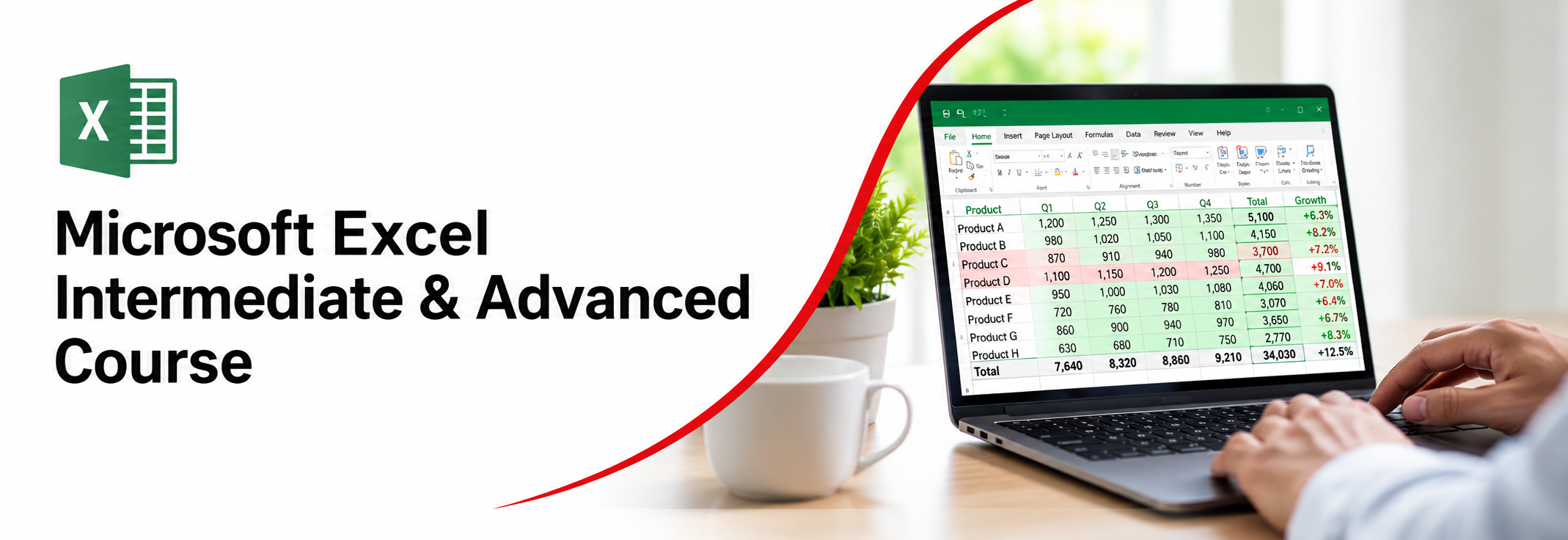
Microsoft Excel Intermediate & Advanced Course
Work more efficiently with data using our WSQ Microsoft Excel Intermediate & Advanced Course in Singapore, designed for professionals ready to move beyond basics. This Microsoft Excel advanced training helps you learn how to work with complex formulas, data analysis, and business reporting tasks more effectively.
WSQ
Singapore Workforce Skills Qualifications
SkillsFuture Eligible
PSEA
Post Secondary Education Account
SFEC
SkillsFuture Enterprise CreditAbsentee
Payroll
Course Start Date
Schedule
- Days: 3 Days
- Duration: 21 Hours
- Timings: 9:30 AM - 5:30 PM
- 10 Anson Road, 26-08A International Plaza, Singapore 079903
Why Choose Us
- Expert Local Trainers
- Hands-on Training by experts
- Certificate of Achievement
SSG Course Details
- TGS-2023040845
- Mode of Training - Physical, in-class training
- Course Subsidy Validity -From 19 Dec 2023 to 18 Dec 2027
- Register Now
Who Should Attend This WSQ Microsoft Excel Intermediate & Advanced
This WSQ intermediate to advanced Excel course is designed for working professionals and learners who already have basic knowledge and want to improve their skills in handling data, using formulas, and managing more complex spreadsheet tasks.

Business professionals

Analyst

Entrepreneur

Training Professionals

Student
Course Completion Requirements
To successfully complete this WSQ Intermediate & Advanced Excel training, participants must maintain a minimum of 75% attendance. The aim is to ensure consistent participation so learners can build advanced analytical skills and be eligible for the course completion certificate upon completion through this comprehensive Excel course.

Above 16 years old

High School Level English

Basic internet & computer operation skills


WSQ Microsoft Excel - Intermediate & Advanced Course in Singapore
This Intermediate & Advanced Excel Course is designed for learners who want to build stronger skills in managing complex workbooks, analysing business data, and creating more efficient spreadsheet solutions. The course covers workbook management, data validation, business visualisation, workbook protection, advanced filtering, conditional formatting, and task automation using macros. Participants will also work with advanced Excel formulas, including logical, statistical, lookup, reference, and date and time functions.
The course develops deeper data analysis and reporting skills through external data management, data preparation, what-if analysis, forecasting, descriptive statistics, and advanced charting. Learners will also work with PivotTables and PivotCharts, including slicers, timelines, calculated fields, drill-down analysis, interactive dashboards, and advanced data presentation. Formula auditing and troubleshooting are included to help identify errors, review formulas, and manage complex calculations across worksheets and workbooks.
Microsoft Copilot in Excel is integrated throughout the course to support advanced spreadsheet tasks. Learners will explore how Copilot in Excel can explain and generate formulas, assist with workbook references, analyse databases and PivotTables, create formatting rules, generate VBA macros, summarise imported data, support forecasting and statistical analysis, and help create advanced charts. The course also covers AI-assisted workbook analysis, data cleansing, error detection, prompting techniques, and responsible use of Copilot in business environments.
What Will You Learn WSQ Microsoft Excel - Intermediate & Advanced Course
- Learners will be able to support business reports by turning data into clear and simple insights using basic modeling and visualization techniques.
- Learners will learn to work with data from multiple sources and extract useful information for effective analysis.
- Learners will understand how to choose the right analysis methods based on different types of problems and datasets.
- Learners will be able to clean, organize, and validate data to ensure it is accurate, structured, and easy to understand.
- Learners will explore techniques to identify patterns and trends in data, including basic forecasting methods.
- Learners will gain an understanding of data structure and learn how to present findings in a clear and business-friendly way.
- Learners will recognize the importance of industry-specific knowledge in creating meaningful dashboards and reports.
- Learners will learn how Microsoft Copilot in Excel can support advanced spreadsheet tasks, including formula creation, data analysis, workbook review, and PivotTable-based insights.

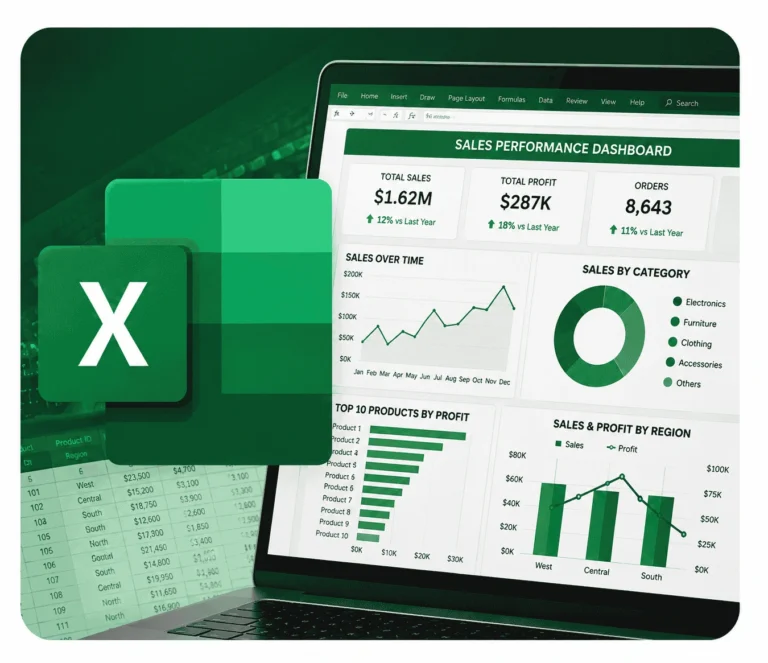
Why Upgrade to Intermediate & Advanced Excel Skills?
Many professionals hit a ceiling with basic Excel when handling larger datasets, complex reports, or time-sensitive analysis. Tasks like building dynamic dashboards, automating workflows, or creating advanced formulas often feel overwhelming without proper guidance.
This Microsoft Intermediate & Advanced Excel course is designed to bridge that gap. You'll learn how to tackle sophisticated business challenges step by step—from advanced functions and pivot tables to macros and data visualization—empowering you to work faster, smarter, and more strategically.
Training fee: WSQ Microsoft Excel Intermediate & Advanced Course
| Self-sponsor/ Non-SME Company Sponsor | SME Company Sponsor | |||
|---|---|---|---|---|
| Full Course Fee (no funding) |
Age 21-39 S/PRs (SkillsFuture Funding Baseline) |
Age 40 above (SkillsFuture Mid-career Enhanced Subsidy) |
SME Company Sponsor (SkillsFuture Enhanced Training support for SMEs) |
|
| Full Course Fee (bef funding) | $550.00 | $550.00 | $550.00 | $550.00 |
| SkillsFuture Funding (WSQ) | - $0.00 | - $275.00 | - $385.00 | - $385.00 |
| GST (On Full Fee) | + $49.50 | + $49.50 | + $49.50 | + $49.50 |
| Total Payable (After Funding and GST Included) |
$599.50 (After Funding and GST Included) |
$324.50 (After Funding and GST Included) |
$214.50 (After Funding and GST Included) |
$214.50 (After Funding and GST Included) |
Payable amount after WSQ funding is eligible for further support from SFEC, SkillsFuture, PSEA & UTAP where applicable.
Discount policy:
- 4 pax from the same group: 5% discount for each person
- 5 pax from the same group: 10% discount for each person
Assessment Plan:
- Practical Performance: 1 hour

Grants available
WSQ
Singapore Workforce Skills Qualifications
WSQ : Baseline funding deduction upto 70% for Singaporeans/ PRs. Further SFEC, Absentee Payroll and WSS applicable.
SkillsFuture Eligible
SkillsFuture Credit : Singaporeans can use $500 SkillsFuture Credits for this training to offset the course fees
PSEA
Post-Secondary Education Account
PSEA : are available for Singaporean Citizens to cover the approved fees and charges related to WSQ programs.
SFEC
SkillsFuture Enterprise Credit
SFEC : Eligible companies can offset up to 90% of the payable amount via SFEC
Absentee Payroll
Absentee Payroll Funds : Eligible companies can reimburse $4.50 per hour/pax joining our courses from Absentee Payroll
NTUC Members’ Benefit
Complete this eligible AI course and you may qualify for subscription fee support for selected AI tools under the NTUC AI Tools initiative (available from 1 May 2026 to 30 April 2028), subject to NTUC’s eligibility criteria and approval.
Contact us to learn more about eligible courses and how to apply.
WSQ Microsoft Excel Intermediate & Advanced Course Outline
Learn how to handle complex data challenges faster and improve strategic decision-making with this WSQ Intermediate & Advanced Excel Course module. You will cover all of this in just 3 days (21 hours) through intensive, practical training.
Module 1: Managing Workbook Options and Settings
Data Models and Data Validation
- Business Visualisations
- Importance of Data Visualisation
- Types of Business Visualisations
- Excel Visualisation Tools
Workbook Management
- Referencing Data Across Worksheets & Workbooks
- Working with 3D References
- Using Copilot to Explain and Generate References
Business Visualisations
- Importance of Data Visualisation
- Types of Business Visualisations
- Excel Visualisation Tools
Workbook Security and Protection
- Formula Calculation Options
- Restricting Editing Access
- Worksheet & Workbook Structure Protection
- Password Protection and Encryption
- Using Copilot to Configure Workbook Security
Module 2: Managing Databases and Automating Tasks
Database Management
- Using Subtotal Functions
- Advanced Filtering Techniques
- Database Functions for Summary Calculations
- Using Copilot to Generate Database Analysis
Task Automation
- Create and modify simply macros
Advanced Conditional Formatting
- Creating Custom Conditional Formatting Rules
- Formula-Based Conditional Formatting
- Managing Multiple Rules
- Using Copilot to Create and Optimise Formatting Rules
Module 3: Creating Advanced Formulas
Named Ranges and Objects
- Creating Named Ranges
- Naming Tables and Objects
- Managing Named References
- Using Copilot to Generate and Explain Named Ranges
Advanced Logical Functions
- Using AND, OR, and NOT Functions
- Nested Logical Functions
- Complex Decision-Making Formulas
- Using Copilot to Build Logical Formulas
Statistical Functions
- SUMIFS
- AVERAGEIFS
- COUNTIFS
- Multi-Criteria Analysis with Copilot
Lookup and Reference Functions
- VLOOKUP
- HLOOKUP
- XLOOKUP
- MATCH
- INDEX
- Cross-Sheet and Cross-Workbook Lookups
- Using Copilot to Build Lookup Formulas
Advanced Date and Time Functions
- TODAY and NOW Functions
- Date Calculations and Serial Numbers
- Business Date Analysis
- Using Copilot to Apply Date-Based Logic
Formula Auditing and Troubleshooting
- Trace Precedents and Dependents
- Watch Window
- Error Checking
- Formula Evaluation
- Using Copilot to Diagnose and Resolve Formula Errors
Module 4: Data Analysis and Business Intelligence
Managing External Data
- Importing Data from External Sources
- Consolidating Data
- Data Preparation Techniques
- Using Copilot to Summarise Imported Data
What-If Analysis and Forecasting
- One-Variable Data Tables
- Two-Variable Data Tables
- Scenario Manager
- Goal Seek
- Forecasting Techniques
- Using Copilot for Scenario Analysis
Module 5: Data Mining and Pattern Identification
Data Analysis Techniques
- Introduction to Data Analysis in Excel
- Data Preparation and Cleansing
- Exploratory Data Analysis
- Excel Data Analysis ToolPak
- Descriptive Statistics
- Histogram Analysis
- Using Copilot for Statistical Analysis
Advanced Charting
- Sparklines
- Trendlines
- Dual-Axis Charts
- Chart Templates
- Business Data Visualisation Best Practices
- Using Copilot to Create Advanced Charts
Module 6: PivotTables
Create and Manage PivotCharts
- Create PivotCharts
- Manipulate options in existing PivotCharts
- Apply Styles to PivotCharts
Managing PivotTables
- GETPIVOTDATA Function
- Calculated Fields
- Report Filter Pages
- Drill-Down Analysis
- Using Copilot to Analyse PivotTable Data
Module 7: PivotCharts
Advanced Microsoft Copilot Applications
- GETPIVOTDATA Function
- Calculated Fields
- Report Filter Pages
- Drill-Down Analysis
- Using Copilot to Analyse PivotTable Data
Managing PivotCharts
- Modifying Chart Options
- Applying Styles and Formatting
- Creating Interactive Dashboards
- Enhancing Data Presentation
Advanced Microsoft Copilot Applications
AI-Assisted Workbook Analysis
- Understanding Workbook Structure
- Explaining Complex Formulas
- Workbook Auditing
Data Transformation and Preparation
- Cleaning and Restructuring Data
- Preparing Data for Analysis
- Automating Repetitive Spreadsheet Tasks
Data Quality and Validation
- Identifying Data Issues
- Data Cleansing Techniques
- AI-Assisted Error Detection
Productivity Enhancement with Copilot
- Prompting Techniques for Excel
- Best Practices for Working with AI
- Responsible Use of Copilot in Business Environments
FAQ for WSQ Microsoft Excel Intermediate & Advanced Course in Singapore
Who should take this WSQ Microsoft Excel Intermediate & Advanced Course?
This course is perfect for professionals aiming to improve their Excel skills for efficient data handling, reporting, and analysis.
What if I fail/did not complete the assessment?
Participants deemed non-competent will not receive a Statement of Attainment (SOA) and must pay the full course fee, including SSG’s funding portion.
Is there a prerequisite for this course?
Yes, a basic understanding of Excel or completion of a beginner-level Excel course is required.
How long is the course?
The course runs for 3 days, with both weekday and weekend options available.
Will I receive a certificate after completing the course?
Yes, a WSQ certificate will be awarded upon successful completion and passing of the assessment.
Is this course SkillsFuture Credits eligible ?
Yes, Singaporean citizens can use SkillsFuture Credits. Please check with the training provider for eligibility and details.
How can I enroll in this course?
Please fill up the registration form at Course Registration Form | Inspizone Trainings
What topics are covered in this course?
Topics include advanced Excel functions, formulas, pivot tables, data visualization, conditional formatting, and techniques for data analysis.
Reviews of Our Students
I took an Excel course at Training Singapore, and it was extremely beneficial. The trainer explained everything from basic to advanced features like VLOOKUP, Pivot Tables, and Macros in a simple and easy-to-understand way.
The course fees at Training Singapore were fully covered by SkillsFuture Credit. This is a great opportunity if you are a Singapore resident looking to enhance your skills.
The course material was well-organized, covering key areas such as Excel interface, data entry, formulas, and reporting. It made learning structured and effective.
The trainers were not only highly skilled in their subjects but also provided personalized assistance, making complex concepts easy to understand.
Training Singapore offers both online and offline training options, allowing students to choose according to their convenience and learning preferences.
I took an Excel course at Training Singapore, and it was extremely beneficial. The trainer explained everything from basic to advanced features like VLOOKUP, Pivot Tables, and Macros in a simple and easy-to-understand way.
The course fees at Training Singapore were fully covered by SkillsFuture Credit. This is a great opportunity if you are a Singapore resident looking to enhance your skills.