
PowerPoint Slide Beautification Training in Singapore
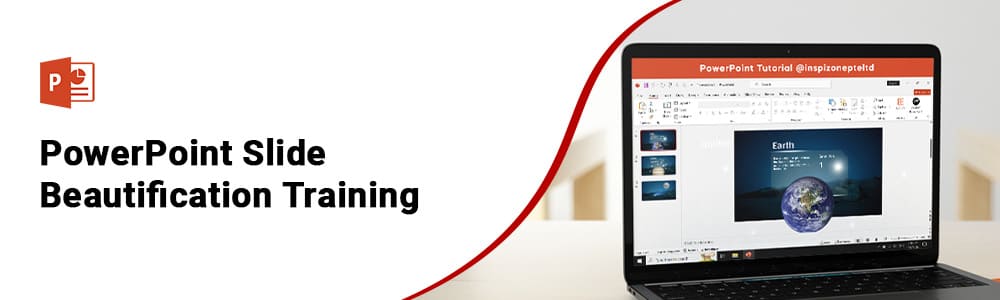
PowerPoint Slide Beautification Training in Singapore
Most people who use PowerPoint put text on slides and call it a presentation. Knowing how to apply colour theory, typography, layout principles, master slides and data visualization properly is what separates a slide deck that gets ignored from one that gets remembered. This PowerPoint Design Course Singapore covers exactly those skills in 1 day classroom training giving participants a working understanding of slide design that applies to every presentation they build from that point forward. Whether starting from scratch or wanting to improve existing PowerPoint knowledge, this PPT Beautification Course Singapore covers design fundamentals through to animations, transitions and storytelling through slides.



Course Start Date
Schedule
- Days: 1 Days Open OnDemand
- Duration: 7 Hours
- Timings: 9:30 AM - 5:30 PM
- 10 Anson Road, 26-08A International Plaza, Singapore 079903
Why Choose Us
- Expert Local Trainers
- Hands-on Training by experts
- Certificate of Achievement
Who Should Attend Powerpoint Slide Beautification Training in Singapore
Slide Design Training Singapore is open to anyone who builds or presents slides as part of their daily work or studies. Admin staff, trainers, business owners, analysts and students are among the people who attend this Presentation Design Course Singapore. Participants with basic PowerPoint knowledge and those with prior experience will both find new ground to cover in this course.

Business professionals

Analyst

Entrepreneur

Training Professionals

Student
Course Completion Requirements
Minimum 75% attendance is required in order to complete the course and receive the course completion certificate

Above 16 years old

High School Level English
Basic internet & computer operation skills



Introduction PowerPoint Slide Beautification Training in Singapore
Advanced PowerPoint Design Singapore covers the design principles that make the difference between slides that look assembled and slides that look considered. This PPT Beautification Course Singapore is built around four areas — design fundamentals, PowerPoint tools and features, advanced design techniques and a final hands-on session working on a sample presentation. Participants learn colour theory, typography and layout composition in the first part of the course, then move into master slides, theme editing, formatting and alignment. The second half covers data visualization, animations, transitions and storytelling through slides so every element of a presentation works together rather than competing for attention. By the end of the session participants will have applied everything covered by working through a complete sample presentation from start to finish.
Benefits of Taking This PowerPoint Design Course Singapore
Many people who present regularly have never been shown how slide design actually works. They change fonts, move images around and hope the result looks clean enough. This PowerPoint Design Training Singapore gives participants a structured understanding of why certain slides work and others do not — and the practical skills to apply that understanding every time. Here is what participants take away:
- Understanding of colour theory and how colour choices affect how an audience reads and responds to a slide
- Typography skills that keep text clean, readable and visually consistent across an entire presentation
- Layout and composition knowledge so every slide feels organised and intentional rather than randomly arranged
- Ability to work with master slides and theme editing to maintain a consistent design across all slides efficiently
- Data visualization techniques that present numbers and information in a way audiences can actually follow
- Control over animations and transitions so movement supports the message rather than distracts from it
- Understanding of storytelling through slides so the presentation flows as a connected narrative from start to finish
- Confidence from working through a complete sample presentation applying every skill covered during the session
What You Will Learn in This PPT Beautification Course Singapore
PowerPoint Design Training Singapore covers the practical design skills that apply to every presentation built in a professional setting. From colour and typography basics through to animations, data visualization and storytelling through slides, every topic is covered through guided practice in one structured classroom day:
- Colour theory and typography principles that keep slides visually consistent and easy to read
- Layout and composition techniques that give every slide a clear and organised structure
- Master slides and theme editing to apply consistent design across a full presentation efficiently
- Data visualization skills to present numbers and information in a format audiences can follow
- Animations and transitions applied in a way that supports the message rather than distracts from it
- Storytelling through slides so the presentation flows as one connected narrative from start to finish

Course Outline:
Unit 1: Fundamentals of Design
- Color Theory
- Typography
- Layout & Composition
Unit 2: PowerPoint Tools & Features
- Master Slides & Theme Editing
- Formatting & Alignment
Unit 3: Advanced Design Techniques
- Data Visualization:
- Animations & Transitions
- Storytelling through Slides
Unit 4: Putting it All Together
- Work on a Sample Presentation
Frequently Asked Questions (FAQ)
What is this training about?
This hands-on course focuses on elevating your PowerPoint presentation visuals using smart design principles, effective layouts, harmonious color schemes, and compelling imagery to make your slides more engaging and impactful.
Who should attend this course?
Professionals—whether beginners or experienced PowerPoint users—looking to enhance their slide design skills and create polished, visually compelling presentations that resonate with their audience.
How is the course delivered?
This is an interactive, instructor-led workshop (format—e.g., online or in-person) that combines demonstrations with hands-on exercises to help you immediately apply new techniques.
What do I need to prepare before attending?
Basic familiarity with PowerPoint is helpful, but the course is structured to support both beginners and experienced users.
Reviews of Our Students
I took an Excel course at Training Singapore, and it was extremely beneficial. The trainer explained everything from basic to advanced features like VLOOKUP, Pivot Tables, and Macros in a simple and easy-to-understand way.
The course fees at Training Singapore were fully covered by SkillsFuture Credit. This is a great opportunity if you are a Singapore resident looking to enhance your skills.
The course material was well-organized, covering key areas such as Excel interface, data entry, formulas, and reporting. It made learning structured and effective.
The trainers were not only highly skilled in their subjects but also provided personalized assistance, making complex concepts easy to understand.
Training Singapore offers both online and offline training options, allowing students to choose according to their convenience and learning preferences.
I took an Excel course at Training Singapore, and it was extremely beneficial. The trainer explained everything from basic to advanced features like VLOOKUP, Pivot Tables, and Macros in a simple and easy-to-understand way.
The course fees at Training Singapore were fully covered by SkillsFuture Credit. This is a great opportunity if you are a Singapore resident looking to enhance your skills.