
Master Excel Course in Singapore
Microsoft Master Excel Course
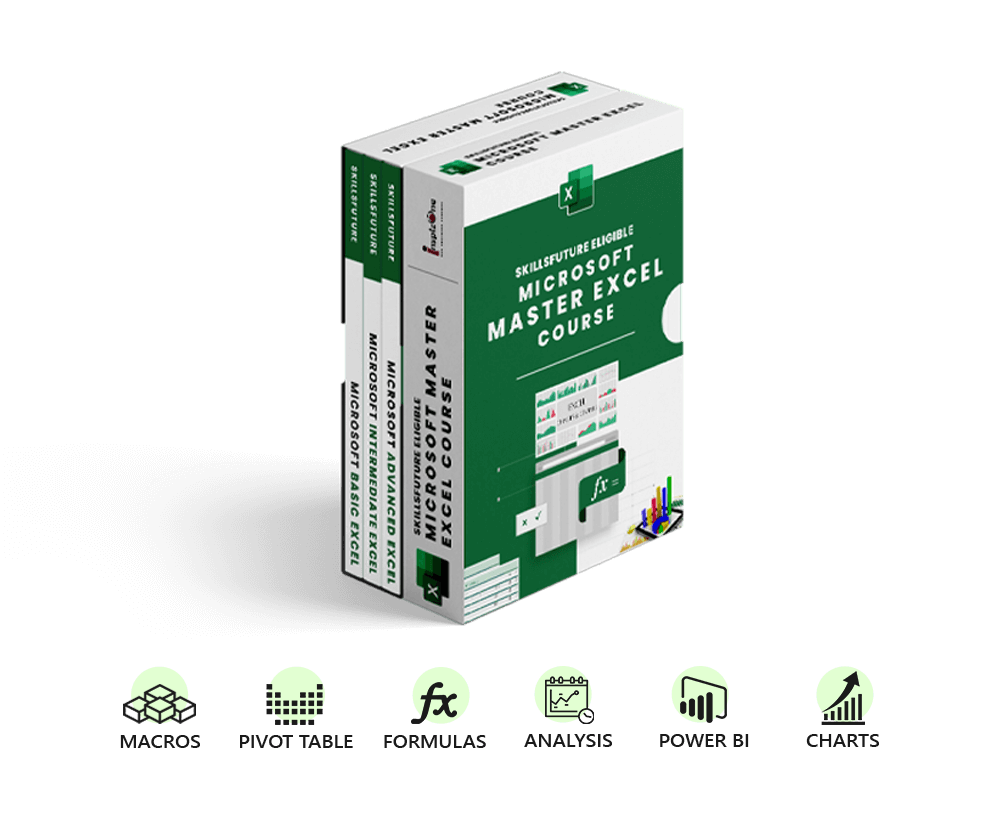
Excel is one of the most used tools in any workplace but a large number of professionals have never been formally shown how to use it properly. Knowing your way around the interface, writing formulas, formatting data correctly, managing worksheets and setting up workbooks for printing are skills that make a difference to how efficiently you work every day. Also learn essential tools like formulas, PivotTables, VLOOKUP, HLOOKUP, charts, and how to efficiently sort and filter data. This Master Excel Course Singapore covers all of that across 3 days and 21 hours of classroom training, giving working professionals and beginners a clear and structured foundation in Microsoft Excel. For anyone looking to build their advanced Excel course Singapore skills with a recognised qualification, this course is SFC-eligible.
UTAP
NTUC membersSkillsFuture Eligible
Schedule
- Days: 3 Days
- Duration: 21 Hours
- Timings: 9:30 AM - 5:30 PM
- 10 Anson Road, 26-08A International Plaza, Singapore 079903
Why Choose Us
- Expert Local Trainers
- Hands-on Training by experts
- Certificate of Achievement
SSG Course Details
- Microsoft Excel Basic Level 2021/ 365 (TGS-2023018268)
- Microsoft Excel Intermediate Level 2021/ 365 (TGS-2023018624)
- Microsoft Excel Advanced level- 2021/ 365 (TGS-2023018596)
- Register Now
Course Start Date
Who Should Attend This Microsoft Master Excel Training
Anyone who uses Excel at work but has never had formal training in how to use it properly will find this Microsoft Excel masterclass Singapore worth their time. It is suitable for working professionals who want to build a structured understanding of Excel from the ground up, beginners who are stepping into a role where Excel is used regularly and anyone who wants to move beyond trial and error and learn the right way to work with spreadsheets. No prior Excel experience is needed to join this excel certification course Singapore.

Business professionals

Analyst

Entrepreneur

Training Professionals

Student
Course Completion Requirements
Minimum 75% attendance is required in order to complete the course and receive the course completion certificate

Above 16 years old

High School Level English
Basic internet & computer operation skills


Master Excel Training Course in Singapore
About the Course
A lot of professionals use Excel every day but have picked up their skills along the way without any formal structure behind them. This Microsoft Excel masterclass Singapore is built to change that. Across 3 days of classroom training you will cover everything from navigating the Excel interface and entering data correctly to writing formulas, applying formatting, using conditional formatting, managing worksheets and setting up workbooks for printing. Every topic in this excel advanced training Singapore course is covered in a logical order so each session builds on the one before it, giving you a complete and structured understanding of how Excel actually works.
Not sure if you need the basics? Take our Entrance Quiz to assess your current skill level and determine the right starting point.
Who Is This Course For?
Working professionals and beginners across all industries who want to build a proper foundation in Microsoft Excel will find this excel expert training Singapore course useful. Whether you are new to Excel and want to learn it the right way from the start, or you have been using it for a while and want to fill in the gaps in your knowledge, this course covers everything you need to use Excel confidently and correctly at work. No prior Excel experience is required to join.
What You’ll Learn
In this Master Excel Course Singapore the training covers the following areas across 3 days:
- Navigate the Excel interface and use Excel commands correctly
- Create, save and manage basic workbooks and enter cell data accurately
- Write worksheet formulas, insert functions and reuse them across your workbook
- Insert, delete and adjust cells, columns and rows and search for and replace data
- Use proofing and research tools to check your work
- Apply text and number formats, align cell contents and use basic conditional formatting
- Create and use templates to save time on repeat tasks
- Preview and print workbooks and set up page layout with headers and footers
- Manage worksheets and control workbook and worksheet views
Requirements
Basic computer and Windows skills are all you need before attending this excel certification course Singapore. This includes:
- Typing
- Using files and folders
- Launching applications
- Sending/receiving emails
Why Learn Microsoft Excel?
Excel is one of those tools that almost every workplace uses but very few people have been properly taught. Most professionals pick it up as they go, which means they know enough to get by but miss out on a lot of features that would make their work significantly faster and more accurate. Having a structured understanding of how Excel works changes that completely.
From writing formulas and applying the right formatting to managing multiple worksheets and setting up workbooks for printing, the skills covered in this advanced Excel course Singapore apply directly to the kind of work most professionals do every day. When you know how to use Excel properly, tasks that used to take an hour can be done in minutes and the output looks cleaner and more professional.
For beginners stepping into a new role, having a recognised Microsoft Excel masterclass Singapore qualification on your profile shows employers you have been formally trained and know how to use one of the most important tools in any office environment.

What You Will Achieve After This Course (Benifist of the course)
By the end of this Master Excel Course Singapore you will be able to:
- Navigate the Excel interface comfortably and use commands correctly across different tasks
- Create, save and manage workbooks and enter and organise cell data accurately
- Write and reuse formulas and functions across your worksheets
- Insert, delete and adjust cells, columns and rows and use search and replace tools
- Apply text and number formatting, align content and use conditional formatting to highlight key data
- Build and use templates and set up workbooks for printing with the right page layout, headers and footers
- Manage multiple worksheets and control how your workbook looks across different views

Grants available
UTAP
Union Training Assistance Programme
UTAP: Update info about UTAP funding on all pages.
SkillsFuture Eligible
SkillsFuture Credit : Singaporeans can use $500 SkillsFuture Credits for this training to offset the course fees
1st Day: Basic Excel Course Outline
For beginners to get started with Excel (how to work with worksheet, workbook, cells, using simple formulas like sum, auto sum)
Lesson 1: Getting Started with Excel 2021
Topic A: Navigate the Excel User Interface
Topic B: Use Excel Commands
Topic C: Create and Save a Basic Workbook
Topic D: Enter Cell Data
Lesson 2: Performing Calculations
Topic A: Create Worksheet Formulas
Topic B: Insert Functions
Topic C: Reuse Formulas and Functions
Lesson 3: Modifying a Worksheet
Topic A: Insert, Delete, and Adjust Cells, Columns, and Rows
Topic B: Search for and Replace Data
Topic C: Use Proofing and Research Tools
Lesson 4: Formatting a Worksheet
Topic A: Apply Text Formats
Topic B: Apply Number Formats
Topic C: Align Cell Contents
Topic E: Apply Basic Conditional Formatting
Topic F: Create and Use Templates
Lesson 5: Printing Workbooks
Topic A: Preview and Print a Workbook
Topic B: Set Up the Page Layout
Topic C: Configure Headers and Footers
Lesson 6: Managing Workbooks
Topic A: Manage Worksheets
Topic B: Manage Workbook and Worksheet Views
2nd Day: Intermediate Excel Course Outline
For people with basic knowledge of Excel want to learn more about advanced formulas (text, math, date and time, logical, etc) and advanced tools like chart, sorting, filtering, conditional format, pivot table
Lesson 1: Working with Functions
Topic A: Work with Ranges
Topic B: Use Specialized Functions
Topic C: Work with Logical Functions
Topic D: Work with Date and Time Functions
Topic E: Work with Text Functions
Lesson 2: Working with Lists
Topic A: Sort Data
Topic B: Filter Data
Topic D: Outline and Subtotal Data
Lesson 3: Analyzing Data
Topic A: Create and Modify Tables
Topic B: Apply Intermediate Conditional Formatting
Topic C: Apply Advanced Conditional Formatting
Lesson 4: Visualizing Data with Charts
Topic A: Create Charts
Topic B: Modify and Format Charts
Topic C: Use Advanced Chart Features
Lesson 5: Using PivotTables and PivotCharts
Topic A: Create a PivotTable
Topic B: Analyze PivotTable Data
Topic C: Present Data with PivotCharts
Topic D: Filter Data by Using Timelines and Slicers
3rd Day: Advanced Excel Course Outline
For people who have a need to consolidate, collaborate with others when working with Excel and want to automate their simple repetitive tasks in Excel with Macro
Lesson 1: Working with Multiple Worksheets and Workbooks
Topic A: Use Links and External References
Topic B: Use 3-D References
Topic C: Consolidate Data
Lesson 2: Sharing and Protecting Workbooks
Topic A: Collaborate on a Workbook
Topic B: Protect Worksheets and Workbooks
Lesson 3: Automating Workbook Functionality
Topic A: Apply Data Validation
Topic B: Search for Invalid Data and Formulas with Errors
Topic C: Work with Macros
Lesson 4: Using Lookup Functions, Dynamic Arrays, and Formula Auditing
Topic A: Use Lookup Functions
Topic B: Use Dynamic Arrays and Dynamic Array Functions
Topic C: Trace Cells
Lesson 5: Forecasting Data
Topic A: Determine Potential Outcomes Using Data Tables
Topic B: Determine Potential Outcomes Using Scenarios
Topic C: Use the Goal Seek Feature
Topic D: Forecast Data Trends
Lesson 6: Creating Sparklines
Topic A: Create Sparklines
Master Excel Training FAQ
What is Master Excel Training?
Master Excel Training is a comprehensive program designed to teach you how to effectively use Microsoft Excel, from basic to advanced features, to streamline tasks and boost productivity.
What if I fail or do not complete the assessment?
If you do not pass or complete the assessment, you will be marked as non-competent and will not receive a Statement of Attainment (SOA). You will also be required to pay the full course fee, including the portion typically subsidized by SSG.
Who should attend the Master Excel Course?
This course is suitable for business professionals, data analysts, finance and marketing executives, students, job seekers, and anyone looking to strengthen their Excel skills for professional or personal use.
What are the benefits of attending a Master Excel Training in Singapore?
Attending this training can help you:
Improve your Excel skills for data analysis and reporting
Increase workplace efficiency and productivity
Make better data-driven decisions
Enhance your employability and career prospects
Gain confidence in handling complex Excel tasks
What topics will be covered in a Master Excel training course?
The course includes:
Excel basics and navigation
Advanced formulas and functions
Data management techniques
PivotTables and charting
Data visualization and presentation
Introduction to Macros and VBA automation
What type of certificate will I receive after completing the Master Excel training course?
You will receive a Certificate of Achievement issued by Inspizone, recognizing your mastery of Excel for data management, analysis, and reporting.
Why is it important to master Excel?
Excel is a powerful tool used across industries for data analysis, management, and reporting. Mastering Excel allows you to work more efficiently, handle complex data, make informed decisions, and present information clearly—all essential skills in today’s data-driven workplace.
Reviews of Our Students
I took an Excel course at Training Singapore, and it was extremely beneficial. The trainer explained everything from basic to advanced features like VLOOKUP, Pivot Tables, and Macros in a simple and easy-to-understand way.
The course fees at Training Singapore were fully covered by SkillsFuture Credit. This is a great opportunity if you are a Singapore resident looking to enhance your skills.
The course material was well-organized, covering key areas such as Excel interface, data entry, formulas, and reporting. It made learning structured and effective.
The trainers were not only highly skilled in their subjects but also provided personalized assistance, making complex concepts easy to understand.
Training Singapore offers both online and offline training options, allowing students to choose according to their convenience and learning preferences.
I took an Excel course at Training Singapore, and it was extremely beneficial. The trainer explained everything from basic to advanced features like VLOOKUP, Pivot Tables, and Macros in a simple and easy-to-understand way.
The course fees at Training Singapore were fully covered by SkillsFuture Credit. This is a great opportunity if you are a Singapore resident looking to enhance your skills.