
WSQ Data Automation Using Excel VBA Programming
WSQ Data Automation Using Excel VBA Programming Course in Singapore
Stop doing manually what Excel can do for you — learn VBA and take back your time.
If you do the same things in Excel every day, like copying data, formatting sheets, and running the same reports, this class is for you. This WSQ Data Automation Using Excel VBA Course in Singapore teaches you how to write simple macros and VBA scripts that do the repetitive work for you. Over 3 days and 24 hours of hands-on training, you will learn how to automate real tasks you actually face at work—no prior programming experience needed. Whether you work in finance, HR, admin, or operations, Excel VBA programming is one of the most practical skills you can pick up to save time and reduce errors in your daily work. This course is also SFC-eligible and PSEA eligible, making it accessible for working professionals in Singapore.
WSQ
Singapore Workforce Skills Qualifications
SkillsFuture Eligible
PSEA
Post Secondary Education Account
SFEC
SkillsFuture Enterprise CreditAbsentee
Payroll
Course Start Date
Schedule
- Days: 3 Days
- Duration: 24 Hours
- Timings: 9:00 AM - 6:00 PM
- 10 Anson Road, 26-08A International Plaza, Singapore 079903
Why Choose Us
- Expert Local Trainers
- Hands-on Training by experts
- Certificate of Achievement
SSG Course Details
- TGS-2023041097
- Mode of Training - Physical, in-class training
- Course Subsidy Validity - From 28 Dec 2023 to 27 Dec 2027
- Register Now
Who Should Attend This WSQ Data Automation Using Excel VBA Programming
This course is SFC-eligible, which means eligible participants may use their SkillsFuture Credit to offset the course fees. PSEA funding may also apply for eligible learners.

Business professionals

Analyst

Entrepreneur

Training Professionals

Student
Course Completion Requirements
A minimum of 75% attendance is required to successfully complete the course and qualify for the course completion certificate.

Above 16 years old

High School Level English

Basic internet & computer operation skills


WSQ Data Automation Using Excel VBA Programming Course
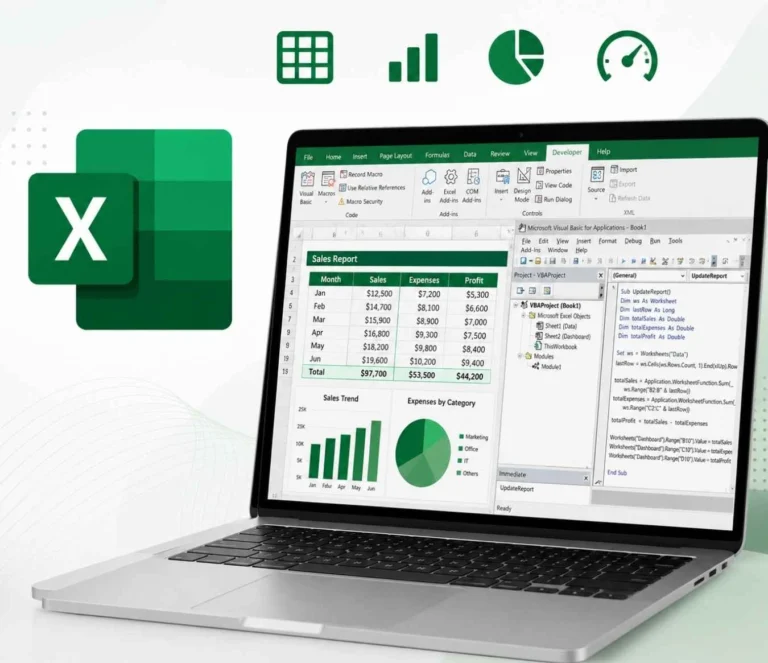
Microsoft Excel comes with a built-in tool called VBA, which stands for Visual Basic for Applications. It lets you automate things you do over and over so you can focus on things that really need your attention. Think about the things you do every day, like moving data from one sheet to another, formatting reports, or pulling data from different sheets. With Excel VBA programming, you can set all of that up once and let Excel run it on its own. This course is designed for anyone who wants to work faster and smarter in Excel, whether it is for personal productivity or as part of your daily job responsibilities. You do not need any programming experience to get started. If you can use Excel, you can learn VBA.
- Data analysts looking to automate routine data manipulation and reporting.
- Finance professionals involved in modeling, forecasting, and financial analysis.
- Accountants who rely on Excel for reporting and data management.
- Administrative staff managing records, reports, and large datasets in Excel.
- Project managers using Excel for planning, tracking, and performance monitoring.
- Programmers and developers eager to explore automation in Microsoft Office.
- Regular Excel users who want to streamline reporting, budgeting, or project-related tasks.
What Will You Learn WSQ Data Automation Using Excel VBA Programming Training Course
- Learners are able to analyse and translate business requirements of Visual Basic for Applications (VBA) into multiple functions for business requirement and objectives
- Learners are able to write programmes and codes with the Visual Basic for Applications (VBA) algorithm and data structures which aligned with business requirements
- Learners are able to draft coding frameworks as practical guides for organising programming and coding languages aligning to logic and styles
- Learners are able to formulate code solutions in accordance with code management approaches using programming languages
- Learners are able to incorporate appropriate improvements and make relevant corrections to programmes and codes to achieve desired outcomes in gathering user input bus
- Learners will be able to analyze and convert business requirements into functional VBA solutions that align with specific objectives.
- Learners will be equipped to document updates and changes in VBA code, systems, and layouts for both technical and non-technical stakeholders, in line with organizational goals.
- Learners are able to select appropriate programming languages in Visual Basic for Applications (VBA) for business use cases by applying scripting approaches
- Learners will develop the ability to evaluate and troubleshoot VBA code using problem-solving and error-handling techniques to resolve issues efficiently.
Training fee: WSQ Data Automation Using Excel VBA Programming
| Self-sponsor/ Non-SME Company Sponsor | SME Company Sponsor | |||
|---|---|---|---|---|
| Full Course Fee (no funding) |
Age 21-39 S/PRs (SkillsFuture Funding Baseline) |
Age 40 above (SkillsFuture Mid-career Enhanced Subsidy) |
SME Company Sponsor (SkillsFuture Enhanced Training support for SMEs) |
|
| Full Course Fee (bef funding) | $795.00 | $795.00 | $795.00 | $795.00 |
| SkillsFuture Funding (WSQ) | - $0.00 | - $397.50 | - $556.50 | - $556.50 |
| GST (On Full Fee) | + $71.55 | + $71.55 | + $71.55 | + $71.55 |
| Total Payable (After Funding and GST Included) |
$866.55 (After Funding and GST Included) |
$469.05 (After Funding and GST Included) |
$310.05 (After Funding and GST Included) |
$310.05 (After Funding and GST Included) |
Payable amount after WSQ funding is eligible for further support from SFEC, SkillsFuture, PSEA & UTAP where applicable.
Discount policy:
- 4 pax from the same group: 5% discount for each person
- 5 pax from the same group: 10% discount for each person
Assessment Plan:
- Practical Performance: 0.75 hour
- Written Assessment – Short Answer Question (WA-SAQ): 0.25 hour

Grants available
WSQ
Singapore Workforce Skills Qualifications
WSQ : Baseline funding deduction upto 70% for Singaporeans/ PRs. Further SFEC, Absentee Payroll and WSS applicable.
SkillsFuture Eligible
SkillsFuture Credit : Singaporeans can use $500 SkillsFuture Credits for this training to offset the course fees
PSEA
Post-Secondary Education Account
PSEA : are available for Singaporean Citizens to cover the approved fees and charges related to WSQ programs.
SFEC
SkillsFuture Enterprise Credit
SFEC : Eligible companies can offset up to 90% of the payable amount via SFEC
Absentee Payroll
Absentee Payroll Funds : Eligible companies can reimburse $4.50 per hour/pax joining our courses from Absentee Payroll
Course Outline:
Lesson 1. Visual Basic for Applications (VBA) for Office (1.5 Hrs)
1.1 Recognizing the need and uses for VBA applications (K2)
1.2 Get Started with Visual Basic for Applications (K2)
1.3 Displaying the Developer Tab in the Ribbon (A1)
1.4 Understanding the Development Environment (A1)
1.5 Understanding Macro Security (A1)
Lesson 2. Working with Procedures and Functions (2 Hrs)
2.1 Understanding Modules (K4)
2.2 Understanding Procedures (K4)
2.3 Sub Procedure (K4)
2.4 Creating a Function Procedure (A2)
2.5 Naming Procedures (A2)
2.6 Working with the Code Editor (A2)
Lesson 3. Understanding objects, methods, properties, and events (3 Hrs)
3.1 Understanding and Navigating Excel Object Hierarchy (K1)
3.2 Understanding Collections (K1)
3.3 Using the Object Browser (K1)
3.4 Working with Properties (K1)
3.5 Using the “WITH” Statement (A3)
3.6 Working with VBA Methods (A3)
3.7 Creating an Event Procedure (A3)
Lesson 4. Using Expressions, Variables, and Intrinsic Functions (3.5 Hrs)
4.1 Understanding and Navigating Excel Object Hierarchy (K1)
4.2 Understanding Collections (K1)
4.3 Using the Object Browser (K1)
4.4 Working with Properties (K1)
4.5 Using the “WITH” Statement (A3)
4.6 Working with VBA Methods (A3)
4.7 Creating an Event Procedure (A3)
Lesson 5. Controlling Program Execution (4 Hrs)
5.1 Understanding Control-of-Flow Structures (K5)
5.2 Working with Boolean Expressions (K5)
5.3 Using the If…End If Decision Structures (A4)
5.4 Using the Select Case…End Select Structure (A4)
5.5 Using the Do…Loop Structure (A4)
5.6 Using the For…To…Next Structure (A4)
5.7 Using the For Each…Next Structure Guidelines for use of Control-of-Flow Structures (A4)
Lesson 6. Working with Forms and Controls (3 Hrs)
6.1 Understanding UserForms (K7)
6.2 Using the Toolbox (K7)
6.3 Working with UserForm Properties, Events, and Methods (K7)
6.4 Understanding Controls (K7)
6.5 Setting Control Properties in the Properties Window (K7)
6.6 Working with the Controls (A9)
6.7 Label Control
6.8 Text Box Control
6.9 Command Button Control
6.10 Combo Box Control
6.11 Frame Control
6.12 Option Button Controls
6.13 Control Appearance
6.14 Setting the Tab Order
6.15 Populating a Control (A9)
6.16 Adding Code to Controls
6.17 Launching a Form in Code
Lesson 7. Gathering User input (2 Hrs)
7.1 Gathering user input Using dialog boxes (A8)
Lesson 8. Debugging Code (1.5 Hrs)
8.1 Understanding Errors (A7)
8.2 Using Debugging Tools (A7)
8.3 Setting Breakpoints (A7)
8.4 Stepping through Code (A7)
8.5 Using Break Mode during Run mode (A7)
8.6 Determining the Value of Expressions (A7)
Lesson 9. Handling Errors (1.5 Hrs)
9.1 Understanding Error Handling (K3)
9.2 Understanding VBA’s Error Trapping Options (K3)
9.3 Trapping Errors with the On Error Statement (K3)
9.54 Writing an Error-Handling Routine (A6)
FAQ for Learn WSQ Data Automation Using Excel VBA Programming Course in Singapore
What is the WSQ Data Automation Using Excel VBA Programming course?
The course teaches you how to streamline and automate data tasks in Excel using VBA (Visual Basic for Applications), enhancing both efficiency and accuracy in daily work.
What if I fail/did not complete the assessment?
If you do not pass or complete the assessment, you will be marked as non-competent and will not receive the Statement of Attainment (SOA). Additionally, you must pay the full course fee, including any amounts subsidized under SSG funding.
Do I need any prior programming experience to take this course?
No programming background is needed. However, you should have a good understanding of Excel functions and formulas, as the course is geared toward advanced Excel users.
What will I learn in this course?
You will learn how to build macros, write and edit VBA code, automate repetitive Excel tasks, and apply automation to real business scenarios using Excel’s VBA environment.
How long is the course, and what is the format?
The course runs for 3 days and includes a mix of theory-based learning and hands-on practice to help you build practical skills.
Will I receive a certification after completing the course?
Yes, upon successful completion of the course and passing the assessments, you will be awarded a WSQ certification in Data Automation Using Excel VBA Programming.
Can this course help me in my current job?
Absolutely. By automating tasks in Excel, you can boost your productivity, minimize human errors, and save time—making your workflow much more efficient.
Who is this course suitable for?
The course is best suited for professionals, analysts, administrative staff, and business owners who want to automate Excel-based tasks and enhance their data processing capabilities.
Reviews of Our Students
I took an Excel course at Training Singapore, and it was extremely beneficial. The trainer explained everything from basic to advanced features like VLOOKUP, Pivot Tables, and Macros in a simple and easy-to-understand way.
The course fees at Training Singapore were fully covered by SkillsFuture Credit. This is a great opportunity if you are a Singapore resident looking to enhance your skills.
The course material was well-organized, covering key areas such as Excel interface, data entry, formulas, and reporting. It made learning structured and effective.
The trainers were not only highly skilled in their subjects but also provided personalized assistance, making complex concepts easy to understand.
Training Singapore offers both online and offline training options, allowing students to choose according to their convenience and learning preferences.
I took an Excel course at Training Singapore, and it was extremely beneficial. The trainer explained everything from basic to advanced features like VLOOKUP, Pivot Tables, and Macros in a simple and easy-to-understand way.
The course fees at Training Singapore were fully covered by SkillsFuture Credit. This is a great opportunity if you are a Singapore resident looking to enhance your skills.